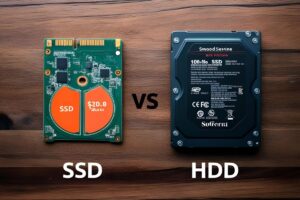
Top 7 Signs Your Device Needs Professional Data Recovery Help
Data loss can strike at any time—whether from physical damage, corruption, or even user error. In many cases, DIY recovery tools or basic troubleshooting might get the job done. But how do you know when it’s time to stop trying on your own and call in the professionals?
Here are the top 7 warning signs that your device needs professional data recovery services—and why ignoring them could make the situation worse.
1. Unusual Noises Coming from the Hard Drive
If your hard drive begins making clicking, grinding, or buzzing noises, it’s a major red flag.
- Clicking (often called the “click of death”) typically indicates a mechanical failure.
- Grinding may suggest damage to the internal platters.
- These sounds can result from read/write head failure, motor issues, or internal component misalignment.
Expert Insight:
“Once a drive begins making physical noises, powering it on repeatedly can further destroy data. It’s crucial to stop using it immediately and consult a recovery expert.”
— Scott Moulton, Data Recovery Specialist, Forensic Strategy Services
2. Device Is Not Recognized by the System
If your computer doesn’t detect the drive, USB, or memory card at all, there could be severe logical or physical issues at play.
- File system corruption
- Controller board failure
- Partition loss or malware-related damage
Attempting DIY solutions here can sometimes overwrite recoverable data or worsen the corruption.
3. Frequent Crashes When Accessing Files
If your system crashes, freezes, or restarts when you try to open specific files or folders, your device may be experiencing deeper problems.
- Bad sectors or corrupted file allocation tables
- Failing storage media
- Inconsistent read/write operations
These symptoms usually get worse over time. Continued use without professional intervention can render the data completely unreadable.
4. You Accidentally Deleted or Formatted Important Data
While accidental deletion or formatting might seem simple to resolve with software tools, there are risks:
- Using recovery software on the same drive can overwrite deleted files.
- SSDs with TRIM enabled can permanently erase deleted data.
Professionals use write-blocking hardware and forensic-grade tools to recover data without risking overwrites.
5. You’ve Been Hit by Ransomware or Malware
Malicious software can encrypt, delete, or scramble your data. In severe cases, ransomware can lock you out completely.
Signs you need help:
- Files renamed with strange extensions
- A ransom note demanding payment
- Access denied errors
Cybersecurity protocols and specialized recovery environments are critical in these scenarios. Experts can often retrieve data without giving in to the ransom demands.
6. You Smell Burning or See Visible Damage
Burning smells, scorched circuit boards, or liquid exposure can destroy hardware components and compromise data.
- Power surges may damage the logic board.
- Water exposure causes corrosion that worsens over time.
- DIY cleaning or drying can worsen the damage.
Important: Never plug in a visibly damaged or water-exposed drive. Data recovery labs have cleanroom environments to safely handle such devices.
7. DIY Recovery Tools Aren’t Working—or Making Things Worse
If you’ve already tried free recovery tools and they:
- Failed to find your files
- Retrieved incomplete or corrupted versions
- Caused new errors to appear
…it’s time to stop and call a pro. The longer you tinker, the lower the odds of full recovery. Professionals often say, “Every failed DIY attempt is one less chance for clean recovery.”
Why Choose a Professional Data Recovery Service?
Here’s what certified data recovery labs offer that consumer software can’t:
- ISO-certified cleanrooms to open and repair drives safely.
- Proprietary tools and firmware access to handle encrypted or damaged media.
- Write-blocking hardware to prevent data overwrites.
- Expert diagnostics to assess logical, physical, and firmware-level issues.
Cost vs. Value:
Professional data recovery isn’t cheap—but when your irreplaceable family photos, business records, or research data are on the line, it’s worth every penny.
Final Thoughts
Recognizing these early warning signs and acting quickly can make the difference between a full recovery and total data loss. If you notice any of the symptoms listed above, stop using the device immediately and seek professional help. The faster you act, the better your chances of saving your data.
Would you like help drafting a version of this for your blog, GMB post, or social media summary?